

Type Peek
Inspect fonts on the page: family, size, weight. Copy CSS. Free stays local. Pro syncs samples via ExtHub.
Screenshots
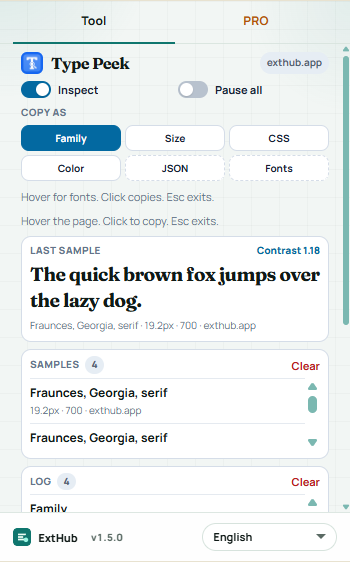
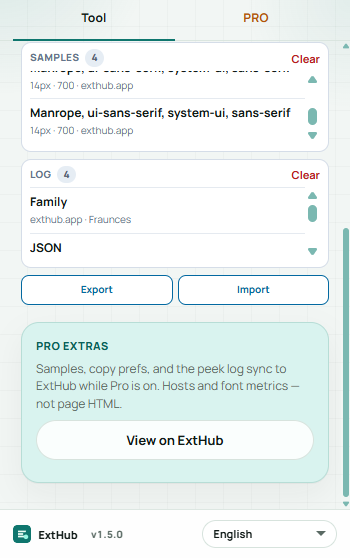
Hover to inspect at real size. On a phone, swipe.
Free vs Pro
See what stays free in your browser and what Pro unlocks.
Free
Included with the Chrome extension
- Inspect toggle, Pause all, and copy chips Family, Size, CSS, Color — no ExtHub account
- Hover tooltip with family, size, weight, line-height, color, spacing, italic
- Last sample pangram, local samples list, and an action log (host and tool — not page HTML)
- Up to 12 samples and 20 log rows in this browser
Pro
Unlocked with an ExtHub subscription
- Sync samples, copy prefs, and the peek log to ExtHub (hosts and font metrics)
- JSON and Google Fonts query copy, local contrast ratio, and JSON export/import
- Up to 50 samples / 80 log rows in the extension; full archive on exthub.app
Why upgrade to Pro
- Inspect fonts without signing in; Pro is optional for cloud samples
- Pick up the same samples and copy prefs on another machine
- One subscription, only for Type Peek
About
Type Peek inspects typography on a normal http(s) page: hover to see family, size, weight, line-height, color, letter-spacing, and italic. Chrome://, the Web Store, and other restricted pages are skipped. Free tools stay in this browser — no ExtHub account.
Turn Inspect on, or Pause all. Copy chips: Family, Size, CSS, Color. Click text to copy the selected format. Last sample shows a pangram preview. A local samples list (click to copy again) and an action log (host and tool — not page HTML). Up to 12 samples and 20 log rows locally. Esc exits.
Pro syncs samples, copy prefs, and the log to ExtHub (host and font metrics only). Extra copy formats JSON and a Google Fonts query URL (constructed locally — nothing is fetched). Local contrast ratio, JSON export/import, and higher caps (50 samples / 80 log rows). Search and CSV/JSON export are on the ExtHub My data page. Unsigned installs still send a compact connectivity ping.
إضافات ذات صلة

Box Trace
الإنتاجيةHover elements to inspect content, padding, border, and margin box sizes. Pro remembers this site, presets, and ExtHub sync.

Layout Grid
قريبًاDebug page layout with depth outlines, flex/grid accents, and a configurable column overlay. Pro remembers this site, presets, an...

Link Sweep
الإنتاجيةScan page links for broken URLs — filters, concurrent checks, export, and on-page highlight. Pro saves reports, export, and ExtHu...