

Stack Scout
Scan the current page locally for technologies. Free: findings, filter, copy. Pro: save reports and ExtHub sync.
Screenshots
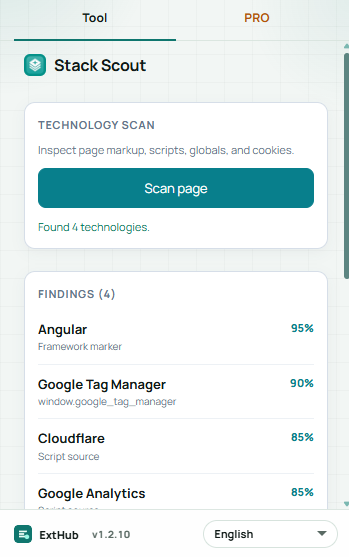
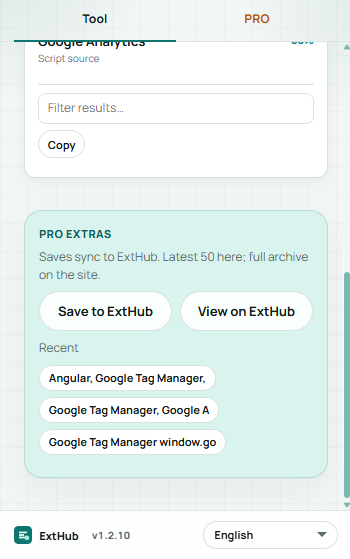
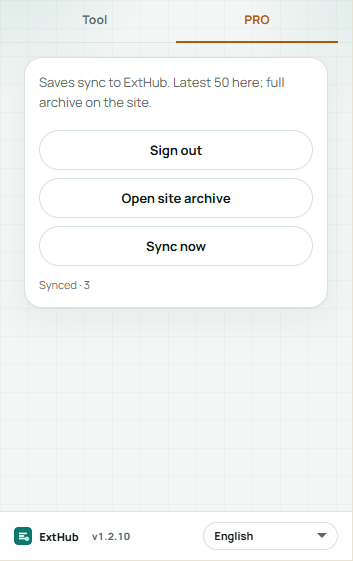
Hover to inspect at real size. On a phone, swipe.
Free vs Pro
See what stays free in your browser and what Pro unlocks.
Free
Included with the Chrome extension
- Scan the current page locally (markup, scripts, globals, cookies) — no ExtHub account
- Filter findings, copy names, and keep the last scan for this host
- Works on normal http(s) pages (not chrome://, the Web Store, or extension pages)
Pro
Unlocked with an ExtHub subscription
- Save scan reports to ExtHub (hostname and findings) and restore them in the popup
- Recent chips for the last saves; open the full archive on exthub.app
- Up to 50 records in the extension; search and CSV/JSON export on ExtHub
Why upgrade to Pro
- Scan without signing in; Pro is optional for saved reports
- Come back to a site later without scanning from scratch
- One subscription, only for Stack Scout
About
Stack Scout scans the page you have open and lists technologies it can detect from markup, scripts, globals, and cookies. The scan stays in this browser — no ExtHub account for the free tools.
Free: scan this page, filter findings, copy names, and keep the last scan for this host. Restricted pages (chrome://, the Web Store, extension pages) cannot be scanned.
Pro can save a report (hostname plus findings) to ExtHub, restore it in the popup, and open the full archive on the site. The extension keeps up to 50 records; search and CSV/JSON export are on ExtHub. Results are heuristic — minified or server-rendered sites may show few or no matches.
Related extensions

Box Trace
ProductivityHover elements to inspect content, padding, border, and margin box sizes. Pro remembers this site, presets, and ExtHub sync.

Layout Grid
Coming soonDebug page layout with depth outlines, flex/grid accents, and a configurable column overlay. Pro remembers this site, presets, an...

Link Sweep
ProductivityScan page links for broken URLs — filters, concurrent checks, export, and on-page highlight. Pro saves reports, export, and ExtHu...