

Page Mosaic
Capture a viewport or full page as PNG or JPEG. Free: delay, hide sticky, restore presets. Pro: ExtHub sync.
Screenshots
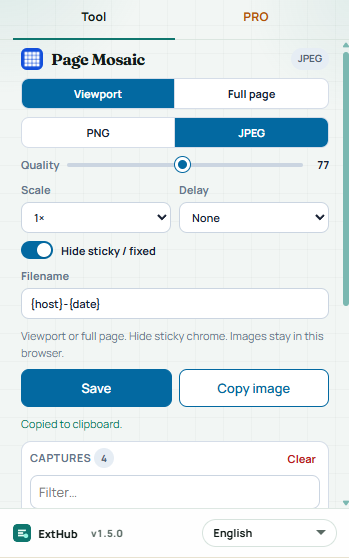
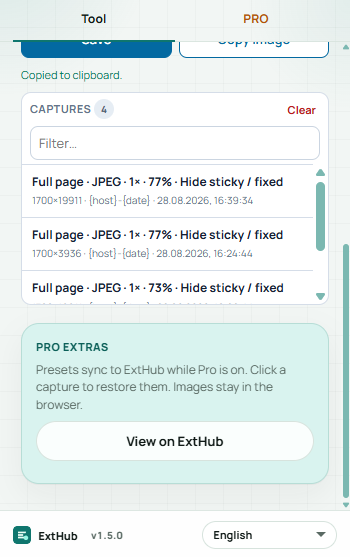
Hover to inspect at real size. On a phone, swipe.
Free vs Pro
See what stays free in your browser and what Pro unlocks.
Free
Included with the Chrome extension
- Capture the viewport or a stitched full page — no ExtHub account
- PNG or JPEG, scale, delay before the first tile, hide sticky/fixed chrome
- Save the file or copy the image; last 50 captures as click-to-restore settings
- Images stay in this browser; page HTML and page URLs are never sent
Pro
Unlocked with an ExtHub subscription
- Sync capture settings to ExtHub and restore them in the popup
- Same presets on another device while Pro is active; higher stitch cap for very tall pages
- Up to 50 records in the extension; full archive on exthub.app
Why upgrade to Pro
- Capture without signing in; Pro is optional for cloud presets
- Pick up the same capture settings on another machine
- One subscription, only for Page Mosaic
About
Page Mosaic captures the visible viewport or stitches a full-page screenshot on a normal http(s) page. Chrome://, the Web Store, and other restricted pages are skipped. Free tools stay in this browser — no ExtHub account.
Pick viewport or full page, PNG or JPEG, scale, and an optional delay. Hide sticky or fixed chrome so it does not repeat on every tile. Save the file or copy the image. Last captures stay in the popup as settings you can click to restore (mode, format, quality, scale, delay, hide sticky, filename pattern — not the page URL). Up to 50 locally. Images are never uploaded.
Pro can sync those capture settings to ExtHub and restore them in the popup. Search and CSV/JSON export are on ExtHub. Page HTML, page URLs, and screenshot pixels are never uploaded. Unsigned installs still send a compact connectivity ping.
Estensioni correlate

Box Trace
ProduttivitàHover elements to inspect content, padding, border, and margin box sizes. Pro remembers this site, presets, and ExtHub sync.

Layout Grid
ProssimamenteDebug page layout with depth outlines, flex/grid accents, and a configurable column overlay. Pro remembers this site, presets, an...

Link Sweep
ProduttivitàScan page links for broken URLs — filters, concurrent checks, export, and on-page highlight. Pro saves reports, export, and ExtHu...