

Page Tailor
Custom CSS, hide elements, and presets per site. Free: pause, pick-to-hide, restore looks. Pro: ExtHub sync and extra presets.
Screenshots
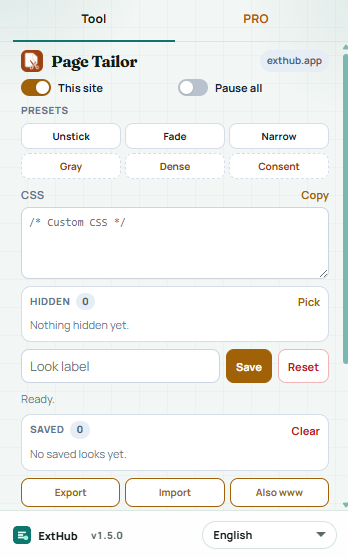
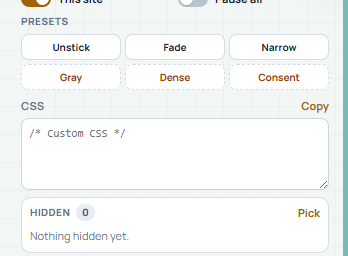
Hover to inspect at real size. On a phone, swipe.
Free vs Pro
See what stays free in your browser and what Pro unlocks.
Free
Included with the Chrome extension
- Custom CSS with live apply, pick-to-hide, pause, and per-site on/off — no ExtHub account
- Unstick, Fade, or Narrow; optional label; copy CSS
- Last 40 looks in the popup as click-to-restore snapshots
- Page HTML stays in this browser; looks are stored per hostname
Pro
Unlocked with an ExtHub subscription
- Sync site looks to ExtHub and restore them in the popup
- Extra presets (Gray, Dense, Consent), JSON export/import, apply to www and apex
- Up to 50 hosts / 80 hidden selectors in the extension; full archive on exthub.app
Why upgrade to Pro
- Tailor pages without signing in; Pro is optional for cloud looks
- Pick up the same site looks on another machine
- One subscription, only for Page Tailor
About
Page Tailor applies your CSS and hidden elements on a normal http(s) page for the current host. Chrome://, the Web Store, and other restricted pages are skipped. Free tools stay in this browser — no ExtHub account.
Write CSS and see it live on the tab. Pause everywhere or turn the look off for this host. Pick an element to hide and keep an optional label. Three free presets: Unstick, Fade, Narrow. Save a look in the local log (click a row to restore). Copy the CSS. Up to 20 hosts and 30 hidden selectors locally. Page HTML is never uploaded.
Pro syncs those site looks to ExtHub (hostname, CSS, hidden selectors, recipes, notes — not page HTML). Extra presets: Gray, Dense, Consent. Export/import JSON and copy the same look to www and the apex host. Higher caps (50 hosts / 80 hidden). Search and CSV/JSON export are on ExtHub. Unsigned installs still send a compact connectivity ping.
関連する拡張機能

Form Scoop
開発Serialize forms on the active page to JSON and copy or download the data. Pro saves snippets, extra format options, and ExtHub sync.

Json Forge
開発Format, minify, and validate JSON locally with path lookup. Pro saves snippets, extra format options, and ExtHub sync.

Media Probe
近日公開Inspect CSS media queries on the page — match state, viewport, prefers-*, breakpoints, and export. Pro saves reports, export, and...