

Threads Quick Block
One-click block on Threads. Free: × on posts, undo, local log. Pro: ExtHub sync, hide, skip list, 30-second undo.
Screenshots
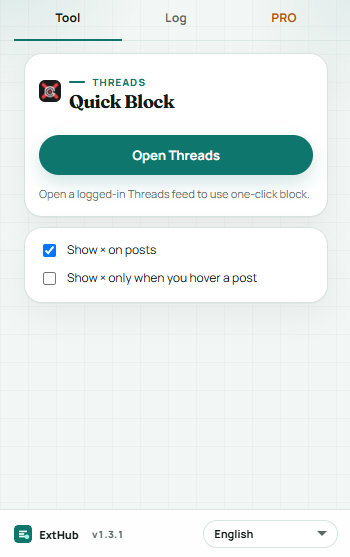
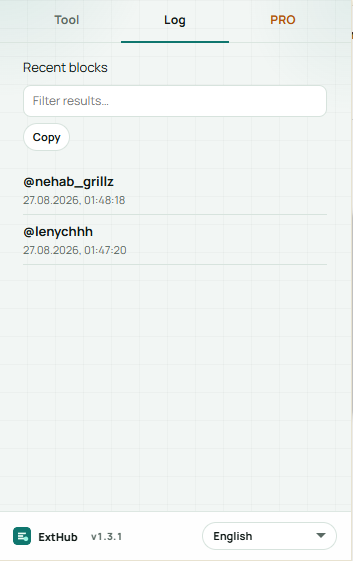
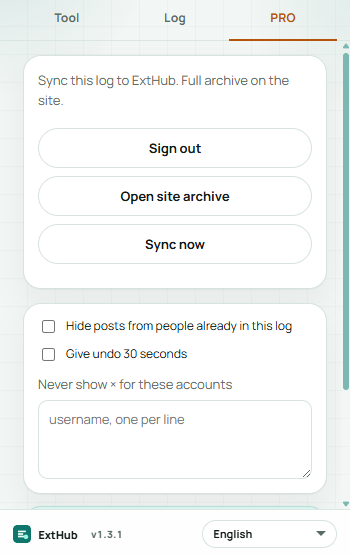
Hover to inspect at real size. On a phone, swipe.
Free vs Pro
See what stays free in your browser and what Pro unlocks.
Free
Included with the Chrome extension
- One-click × next to usernames on a logged-in Threads feed — no ExtHub account
- 12-second undo, pause the buttons, or show × only on hover
- Log tab: filter, copy the @list, click a nickname to open the profile
Pro
Unlocked with an ExtHub subscription
- Sync the block log to ExtHub and restore it in the popup
- Hide posts from people already in the log; skip × for listed accounts
- 30-second undo; up to 50 names in the extension, full archive on exthub.app
Why upgrade to Pro
- Block without extra menus; Pro is optional for the cloud log
- Keep a skip list for accounts you never want a × on
- One subscription, only for Threads Quick Block
About
Threads Quick Block puts a small × next to author names in your logged-in Threads feed and runs Threads’ own Block action. The click stays on this device.
The popup has Tool, Log, and PRO tabs. Free: show or pause the button, optional hover-only ×, 12-second undo, and a local log you can filter, copy, or click to open a profile. Restricted Chrome pages are not involved; it only runs on threads.net and threads.com.
Pro can sync that log to ExtHub, hide posts from people already in the log, skip × for accounts you list, and extend undo to 30 seconds. The extension keeps up to 50 names locally; search and export are on ExtHub. It is not affiliated with Meta or Threads.
相关扩展

Box Trace
效率Hover elements to inspect content, padding, border, and margin box sizes. Pro remembers this site, presets, and ExtHub sync.

Layout Grid
即将推出Debug page layout with depth outlines, flex/grid accents, and a configurable column overlay. Pro remembers this site, presets, an...

Link Sweep
效率Scan page links for broken URLs — filters, concurrent checks, export, and on-page highlight. Pro saves reports, export, and ExtHu...